
AIRFLEX
Usage Instructions
Charging
Prior to first use, charge the headset.
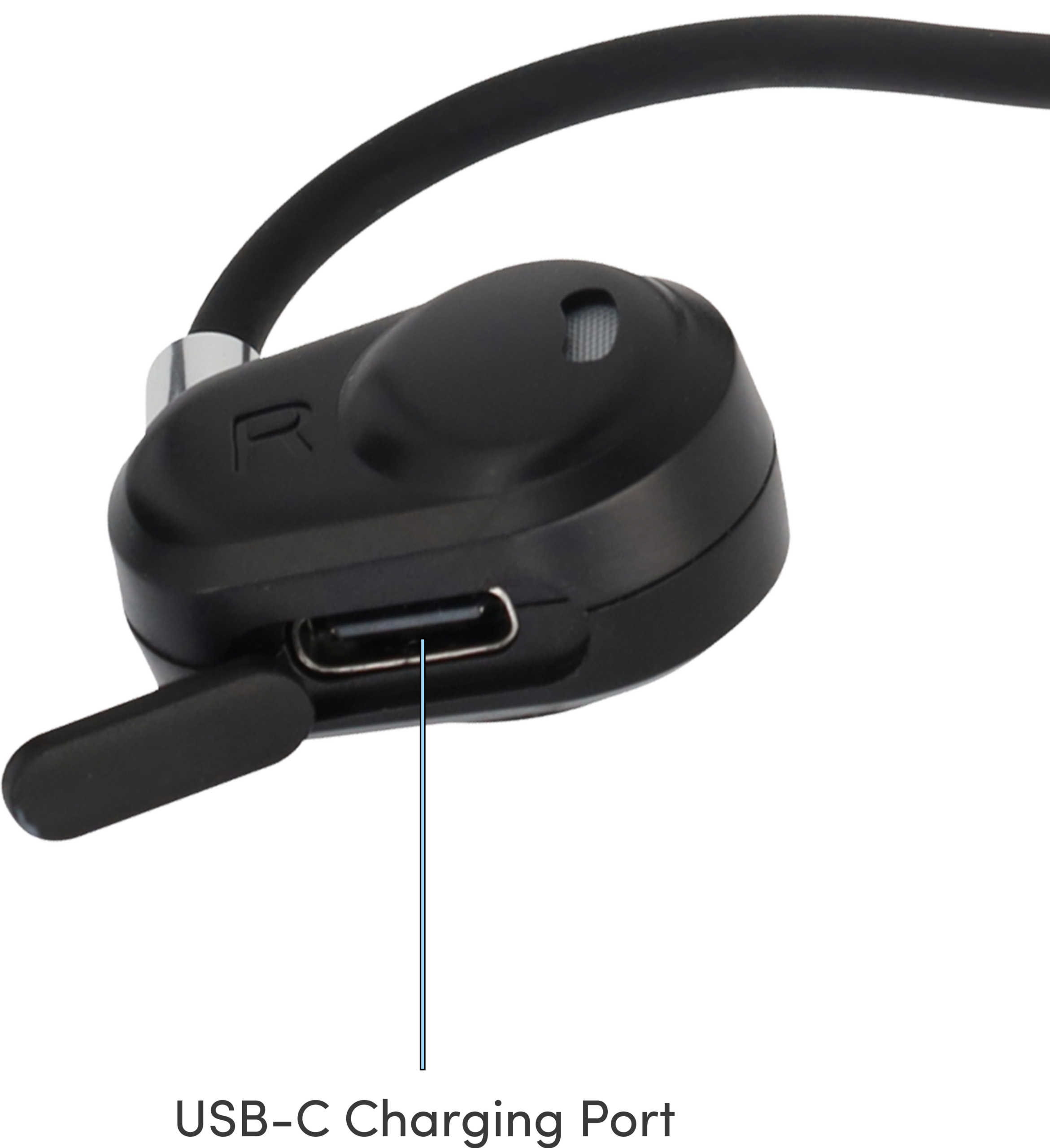
- Flip open the silicone cover at the bottom of the Right earpiece.
- Connect the headset to a charger via the USB-C (Type-C) charging port.
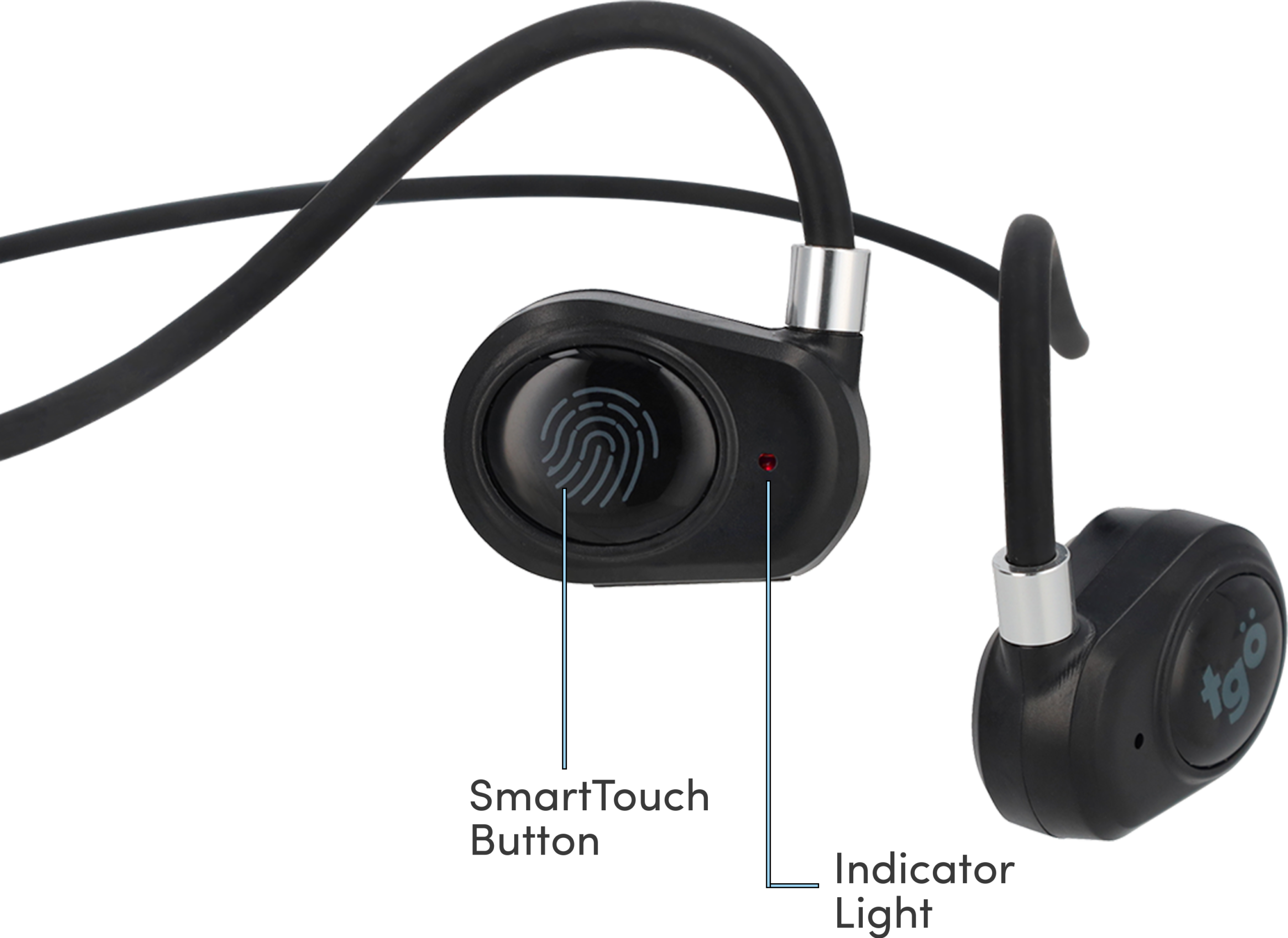
- The Indicator Light remains red during charging. When fully charged, Indicator Light will change to blue.
Bluetooth Pairing
First-Time Pairing
- Ensure the headset is powered off.
- Press and hold the SmartTouch Button for 3 seconds to power on.
- The headset will automatically enter pairing mode. In pairing mode:
- Blue light stays on for 1 second
- Red and blue lights flash alternately
- A “power on” tone will be heard
- On your device, search for Bluetooth decvices and select “BL06”.
- Once connected, you will hear a “Connected” voice tone in the headset and the Indicator Light will turn off.
Operations
Powering On
- Press and hold the SmartTouch Button for 3 seconds.
- Indicator Light turns blue for 1 second. “Power on” voice tone will be heard.
Powering Off
- Press and hold the SmartTouch Button for 5 seconds.
- Indicator Light turns red briefly, then turns off. “Power off” voice tone will be heard.
Music Controls
When playing music:
- Play / Pause: Tap the SmartTouch Button once
- Next Track: Tap the SmartTouch Button twice
- Previous Track: Tap the SmartTouch Button three times
Call Controls
When a call comes in:
- Answer / End Call: Tap the SmartTouch Button once to answer or end call
- Reject Call: To reject incoming call, press and hold the SmartTouch Button
Voice Assistant
You can activate your phone’s voice assistant via the headset.
Activate Siri / Voice Assistant: Press and hold the SmartTouch Button for 1.5 seconds until the voice assistant is activated.
Connectivity
If the headset moves out of Bluetooth range, it will disconnect from the device. Once headset is back within range, it can automatically reconnect within 3 minutes. If headset is not automatically reconnected after 5 minutes, the headset will enter standby mode and power off automatically.
Manual disconnection will trigger alternating red and blue Indicator Lights, along with a “disconnect” voice tone.
Indicator Lights
Low Battery: Red light flashes twice every 5 seconds with a “beep” tone.
Charging: Red light remains on.
Fully Charged: Blue light remains on.